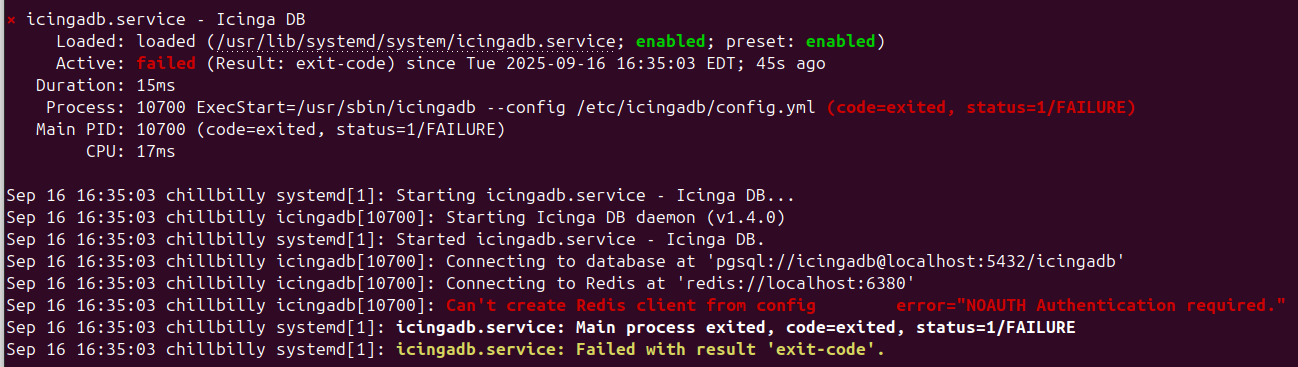
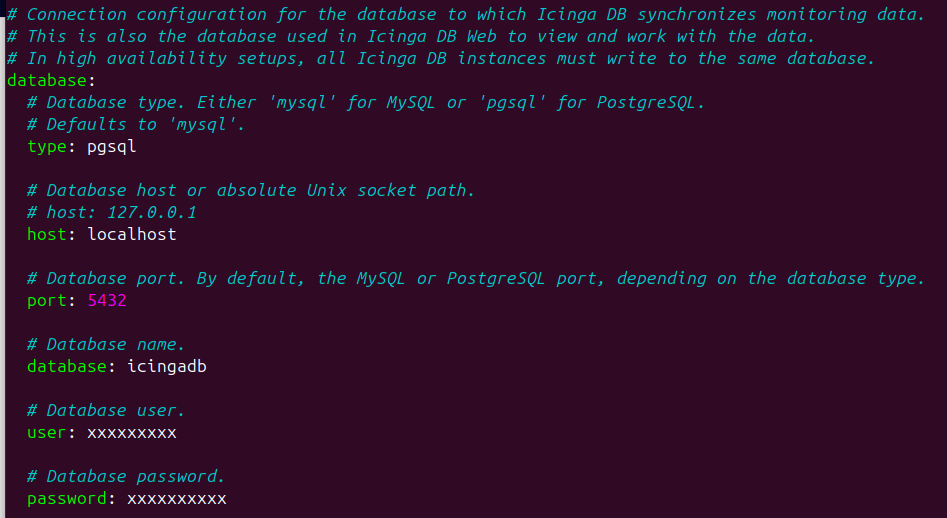
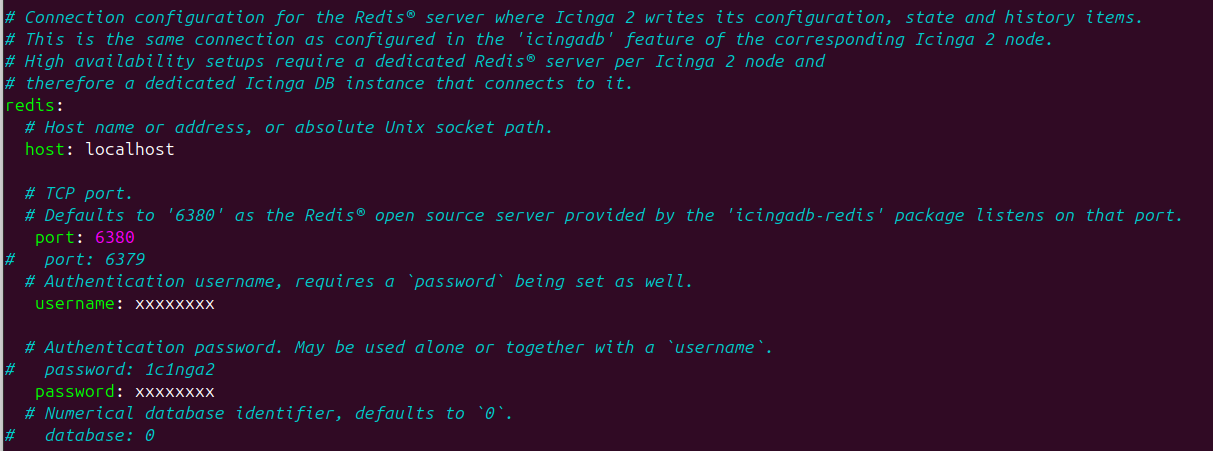
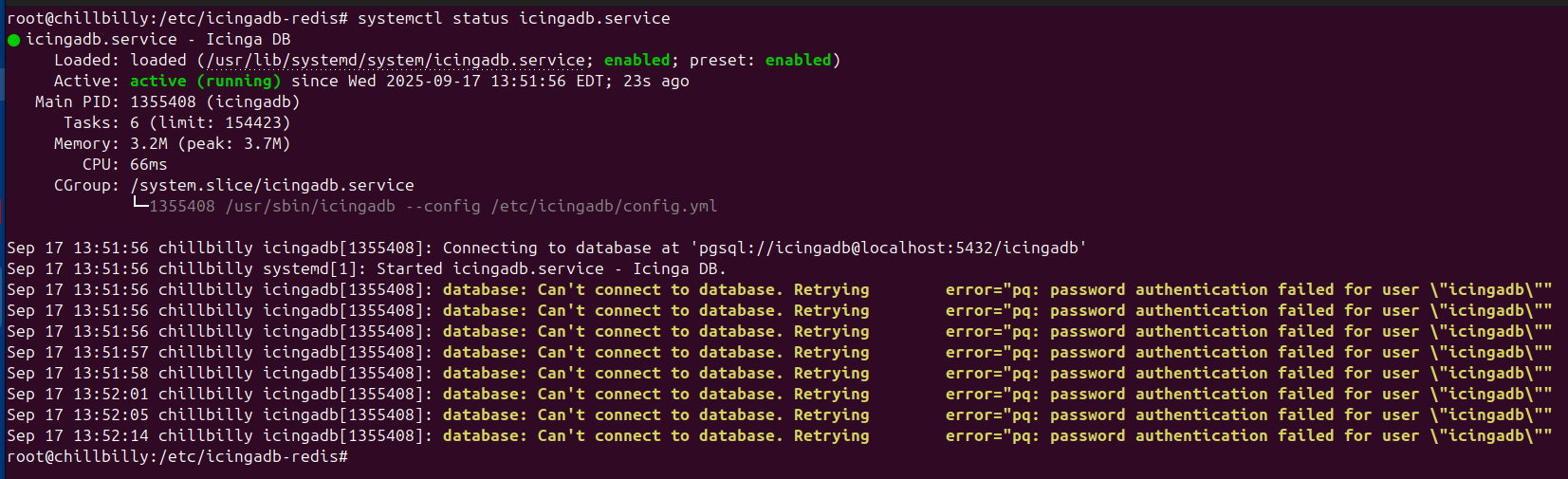
Hi folks. I’m very new to Icinga, so please bear with me.
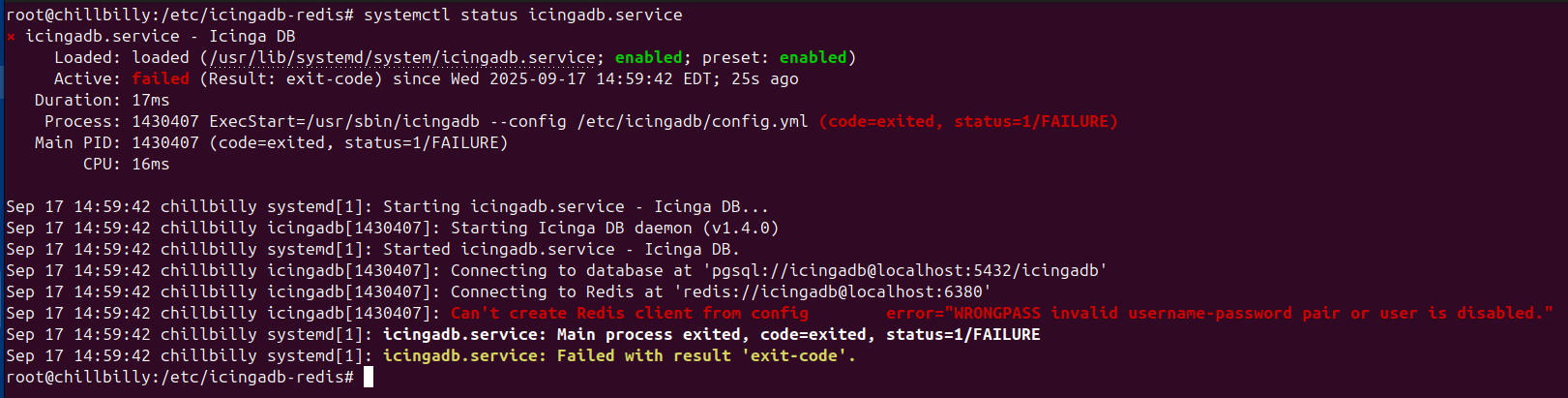
I’m getting the following error in my Health panel and my google-fu has failed me.
“Icinga DB by icingadb is UNKNOWN” along with a red banner at the bottom of the (every) screen that reads: “It seems that Icinga DB is not running. Make sure Icinga DB is running and writing into the database.”
I’ve been struggling with this for a week now and I could really use some help from those who know this system better than I do please.
I came across this post which gave me some hope but now I’m confused about versions. My GUI shows this for versions in the about screen:
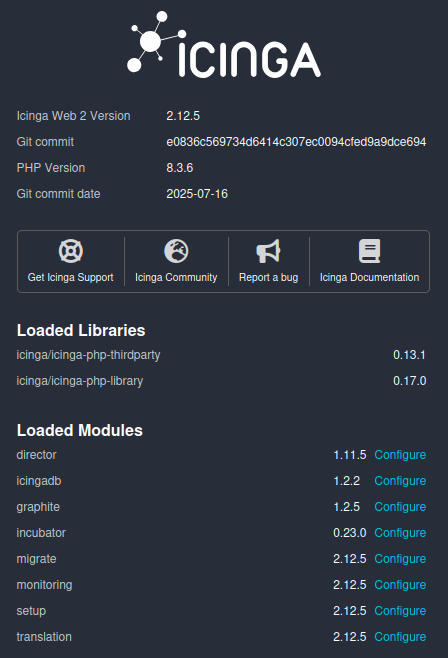
But my CLI shows this:

My environment:
-
Version used (
icinga2 --version)
See above -
Operating System and version
Ubuntu Server 24.04 LTS -
Enabled features (
icinga2 feature list)
Disabled features: compatlog debuglog elasticsearch gelf influxdb influxdb2 journald livestatus
opentsdb perfdata syslogEnabled features: api checker command graphite icingadb ido-pgsql mainlog notification
-
Icinga Web 2 version and modules (System - About)
See above. -
Config validation (
icinga2 daemon -C)
[2025-09-16 14:35:51 -0400] information/cli: Icinga application loader (version: r2.15.0-1)
[2025-09-16 14:35:51 -0400] information/cli: Loading configuration file(s).
[2025-09-16 14:35:51 -0400] information/ConfigItem: Committing config item(s).
[2025-09-16 14:35:51 -0400] information/ApiListener: My API identity: chillbilly
[2025-09-16 14:35:51 -0400] information/ConfigItem: Instantiated 13 Notifications.
[2025-09-16 14:35:51 -0400] information/ConfigItem: Instantiated 2 NotificationCommands.
[2025-09-16 14:35:51 -0400] information/ConfigItem: Instantiated 1 IcingaApplication.
[2025-09-16 14:35:51 -0400] information/ConfigItem: Instantiated 2 HostGroups.
[2025-09-16 14:35:51 -0400] information/ConfigItem: Instantiated 350 Hosts.
[2025-09-16 14:35:51 -0400] information/ConfigItem: Instantiated 1 Downtime.
[2025-09-16 14:35:51 -0400] information/ConfigItem: Instantiated 7 Comments.
[2025-09-16 14:35:51 -0400] information/ConfigItem: Instantiated 1 IcingaDB.
[2025-09-16 14:35:51 -0400] information/ConfigItem: Instantiated 1 FileLogger.
[2025-09-16 14:35:51 -0400] information/ConfigItem: Instantiated 3 Zones.
[2025-09-16 14:35:51 -0400] information/ConfigItem: Instantiated 1 CheckerComponent.
[2025-09-16 14:35:51 -0400] information/ConfigItem: Instantiated 1 IdoPgsqlConnection.
[2025-09-16 14:35:51 -0400] information/ConfigItem: Instantiated 1 ExternalCommandListener.
[2025-09-16 14:35:51 -0400] information/ConfigItem: Instantiated 1 Endpoint.
[2025-09-16 14:35:51 -0400] information/ConfigItem: Instantiated 2 ApiUsers.
[2025-09-16 14:35:51 -0400] information/ConfigItem: Instantiated 1 ApiListener.
[2025-09-16 14:35:51 -0400] information/ConfigItem: Instantiated 1 NotificationComponent.
[2025-09-16 14:35:51 -0400] information/ConfigItem: Instantiated 248 CheckCommands.
[2025-09-16 14:35:51 -0400] information/ConfigItem: Instantiated 1 GraphiteWriter.
[2025-09-16 14:35:51 -0400] information/ConfigItem: Instantiated 1 User.
[2025-09-16 14:35:51 -0400] information/ConfigItem: Instantiated 1 UserGroup.
[2025-09-16 14:35:51 -0400] information/ConfigItem: Instantiated 3 ServiceGroups.
[2025-09-16 14:35:51 -0400] information/ConfigItem: Instantiated 3 TimePeriods.
[2025-09-16 14:35:51 -0400] information/ConfigItem: Instantiated 361 Services.
[2025-09-16 14:35:51 -0400] information/ConfigItem: Instantiated 1 ScheduledDowntime.
[2025-09-16 14:35:51 -0400] information/ScriptGlobal: Dumping variables to file ‘/var/cache/icinga2/icinga2.vars’
[2025-09-16 14:35:51 -0400] information/cli: Finished validating the configuration file(s). -
If you run multiple Icinga 2 instances, the
zones.conffile (oricinga2 object list --type Endpointandicinga2 object list --type Zone) from all affected nodes
N/A