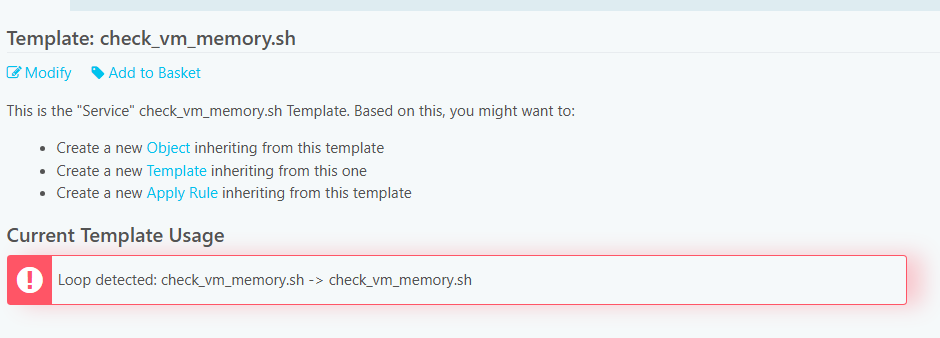
I would recommend to play around a bit with the icingacli director service command.
I am pretty sure there is some way to either remove one of those, or modify one of those to import something else.
Tried it out during my lunch break, its actually possible to fix this using icingacli director service set.
root@icinga:~# icingacli director service show tpl_cluster
ERROR: Icinga\Module\Director\Exception\NestingError in /usr/share/icingaweb2/modules/director/library/Director/Resolver/TemplateTree.php:226 with message: Loop detected: tpl_cluster -> tpl_cluster2 -> tpl_cluster
So first, we can see theres a pretty similar error to yours. A circular dependency loop.
Of course, we can try deleting it, but it wont work:
root@icinga:~# icingacli director service delete tpl_cluster2
ERROR: Zend_Db_Statement_Exception in /usr/share/icinga-php/vendor/vendor/shardj/zf1-future/library/Zend/Db/Statement/Pdo.php:235 with message: SQLSTATE[23000]: Integrity constraint violation: 1451 Cannot delete or update a parent row: a foreign key constraint fails ("director"."icinga_service_inheritance", CONSTRAINT "icinga_service_inheritance_parent_service" FOREIGN KEY ("parent_service_id") REFERENCES "icinga_service" ("id") ON UPDATE CASCADE), query was: DELETE FROM icinga_service WHERE (uuid = 0xff9405917c22487a80b7ba63b0aec9d7)
Alright. Lets try modifying one of these two services, so that it imports something else.
root@icinga:~# icingacli director service set tpl_cluster --imports tpl_lshw
Service 'tpl_cluster' has been modified
Great, no error message. Lets look at the modified service, just to be sure!
root@icinga:~# icingacli director service show tpl_cluster
/** zones.d/director-global/service_templates.conf **/

template Service "tpl_cluster" {
    import "tpl_lshw"

    check_command = "cluster"
}
Looks like its gone
cc @moreamazingnick I think its better to fix this using icingacli then the so called Frickellösung using SQL.