Hi everyone!
I’m currently trying to get my first windows agent running and I’m having some issues there:
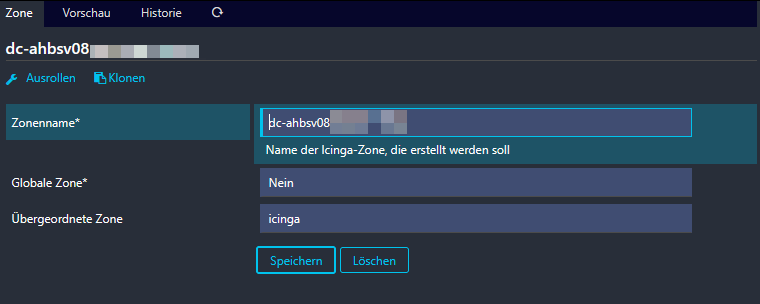
I set up a Zone
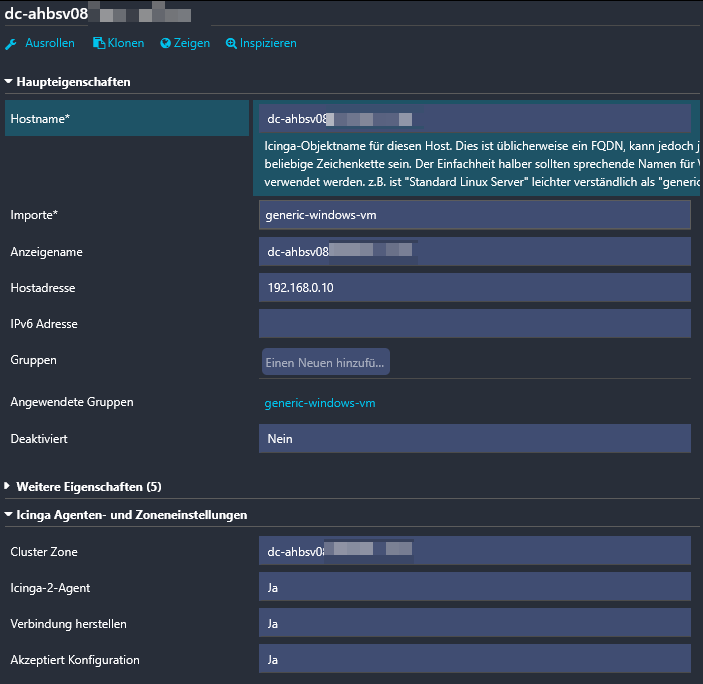
a host
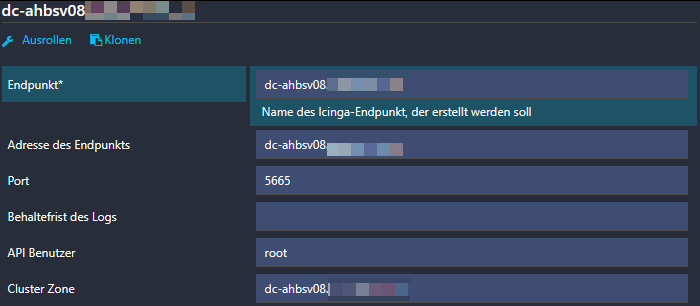
and an Endpoint
On the Windows Machine I installed Icinga with powershell script and opened the windows firewall on port 5665.
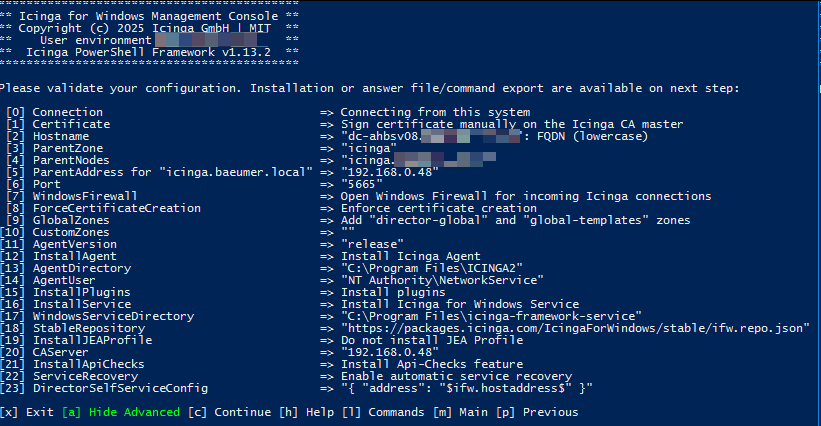
After that I signed the ca request.
But I still get a certificate error in the log:
[2025-03-28 11:46:48 +0100] information/ApiListener: Reconnecting to endpoint ‘dc-ahbsv08.domain.local’ via host ‘dc-ahbsv08.domain.local’ and port ‘5665’
[2025-03-28 11:46:48 +0100] warning/ApiListener: Certificate validation failed for endpoint ‘dc-ahbsv08.domain.local’: code 18: self-signed certificate
[2025-03-28 11:46:48 +0100] information/ApiListener: New client connection for identity ‘dc-ahbsv08.domain.local’ to [192.168.0.10]:5665 (certificate validation failed: code 18: self-signed certificate)
[2025-03-28 11:46:48 +0100] information/ApiListener: Finished reconnecting to endpoint ‘dc-ahbsv08.domain.local’ via host ‘dc-ahbsv08.domain.local’ and port ‘5665’
[2025-03-28 11:46:48 +0100] information/JsonRpcConnection: Closing anonymous connection [192.168.0.10]:5665 after 10 seconds.
[2025-03-28 11:46:48 +0100] warning/JsonRpcConnection: API client disconnected for identity ‘dc-ahbsv08.domain.local’
And my check stays on “pending” - I can’t quite figure out the error here and have been searching for it for quite a while now… can somebody give me a hint?