I have a new Icinga2 server, running on a new VM running a new Ubuntu 24.04.
Icinga 2 with Director was installed and setup ok without errors.
Installed Linuxfabrik without errors.
Trying to setup hosts now and running into issues.
We have 2 previous hosts that I thought were setup ok but not communicating with server. I’m ignoring those for now.
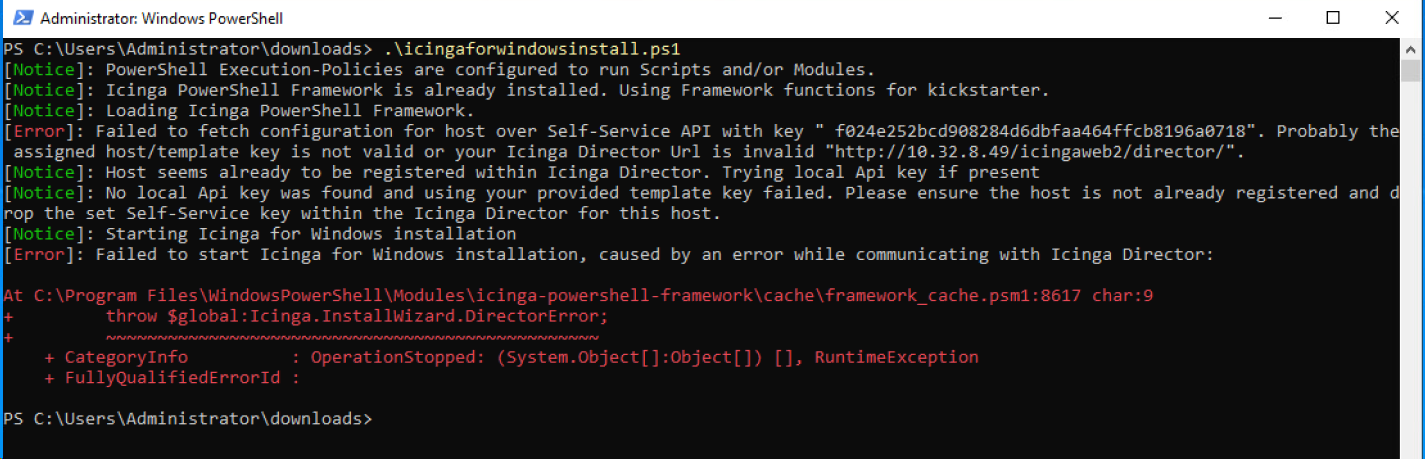
I got a script from @rivad to setup/install on a new host server that I edited to put in the variables but it’s giving an error “Failed to start Icinga for Windows installation, caused by an error while communicating with Icinga Director” which doesn’t make sense. We don’t have an internal firewall, I can ping the Icinga Director from this host, I can bring up the Icinga Director website from Edge on the host. And the error doesn’t say exactly what/why it’s having a problem communicating.
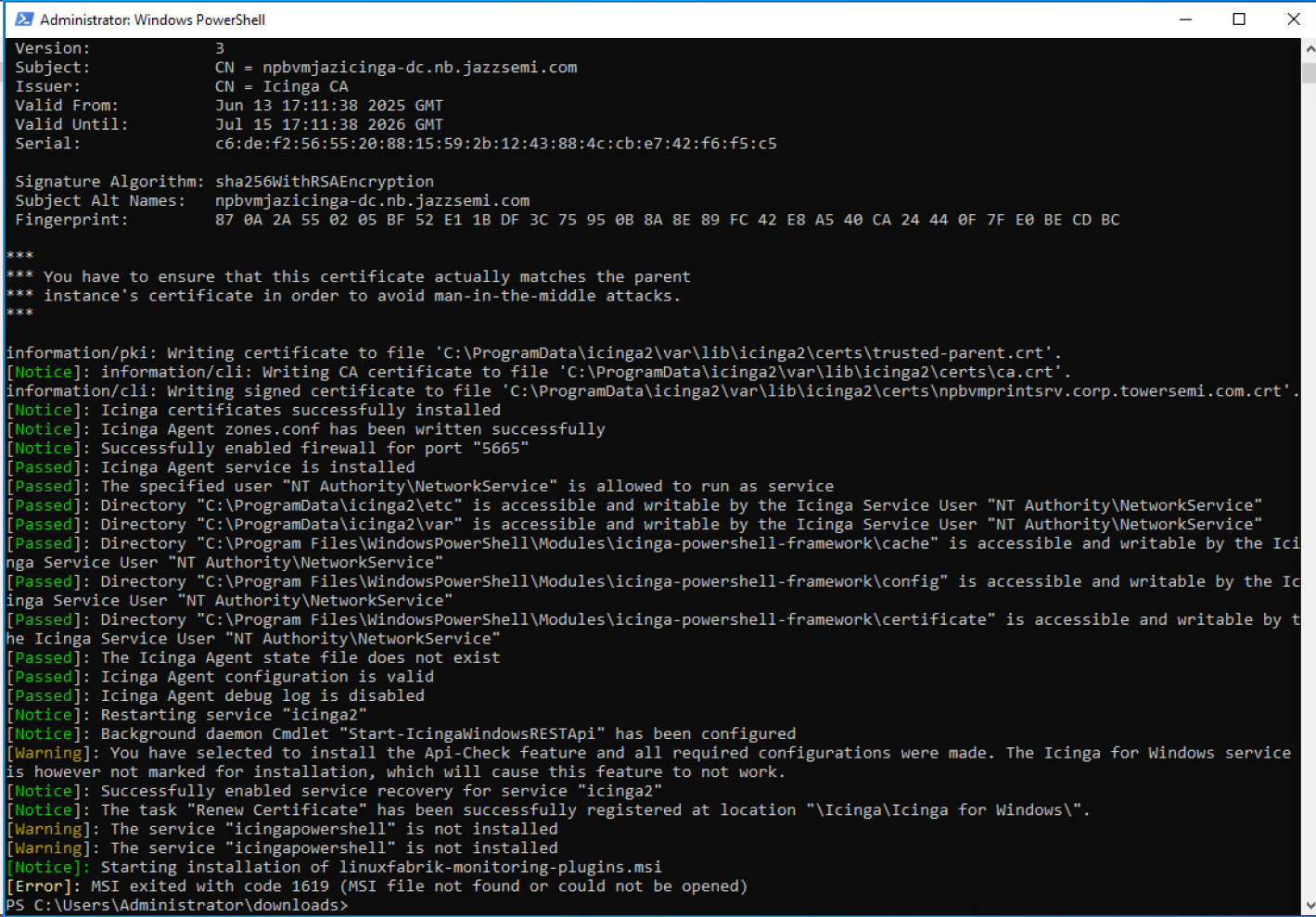
So that got me a LOT further now. And I got really excited because I saw a bunch of “passed” lines but then it gave a ‘warning’ for the Icinga for windows service saying it’s not marked for installation, which is odd because I DID mark it for installation, so it should be installing the service.
And then it gives two more warnings at the end saying “icingapowershell” is not installed.
Then a final error saying “MSI exited with code 1619 (MSI file not found or could not be opened)”
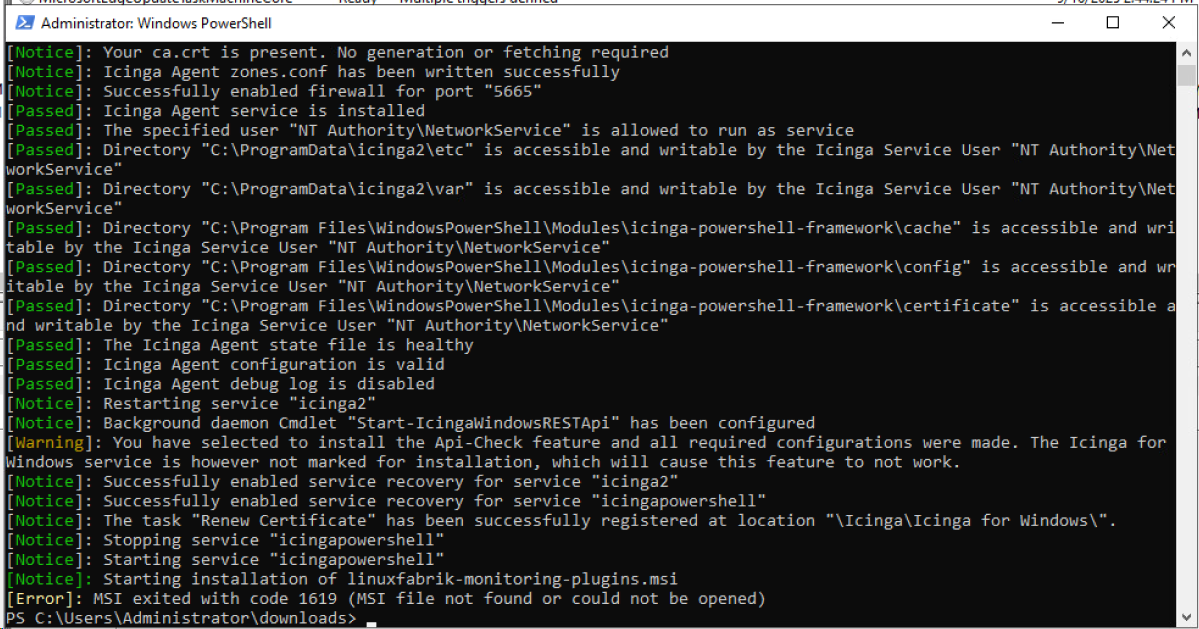
I ran the script on one of the other servers which already had the agent/etc installed but wasn’t communicating with the Icinga Server, just to see what would happen and it got a slightly different result but ended with the same error:
did you download the linuxfabrik msi from somewhere? because that is not part of icinga
and for the powershell part, you didn’t tell the install command to install the powershell service.
If you only use the linuxfabrik plugins (Python) that is ok to leave that out, if you want to use the powershell plugins you need to adapt the install command
I’m only planning on using the linuxfabrik plugins for now, unless/until we have a need for a monitor that it doesn’t cover. (unlikely)
So if I don’t need install command for the powershell service, (what service does the linuxfabrik use then?), I thought the script itself was downloading the linuxfabrik-monitoring-plugins.msi.
As @moreamazingnick already wrote, we don’t use the Icinga GmbH’s PowerShell service because we don’t use the PowerShell checks.
what service does the linuxfabrik use then?),
None, the check plugins get called by the Icinga2 Agent service with parameters and the exit code and stdout are the return channel - same as on Linux. No separate icingapowershell service required
Does the problematic host now communicate with the icinga master?
I thought the script itself was downloading the linuxfabrik-monitoring-plugins.msi.
I didn’t put in the linuxfabrik-monitoring-plugins.msi download and extraction into the script as our server team is temporarily attaching a share containing the script and msi while new servers gets provisioned.
If you want to download the msi in the script, it should be a quick search to figure out how to or just ask an AI to give you a PowerShell code snipped that downloads a .zip and extracts it.
If you’re not shure about what a script does, I advice you to post scripts like this into an AI and ask it to explain, what the script does, to avoid security risks. I know I’m a person with a reputation on here but it’s still better to never trust a script and examine it’s content before running it!