I have updated the Icinga agent. Since then, one of my own powershell check no longer works. In the plugin output from the icinga console I have the user with “whoami” included. After the update it is “nt authority network service”. In the old version “authority\system” is used. Was this changed intentionally? Can I configure that somewhere? Service Icinga Powershell Service and Icinga2 run as a system.
Version updated (Icinga Agent from 2.13.7 to 2.14.2) (icinga powershell Framework form 1.10.1 to 1.12.3)
Plugin Output the red marked ist the “whoami” command
with new agent:
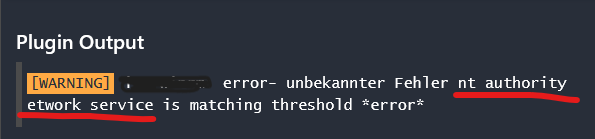
with old agent:

Maybe you can just start the Icinga service as “nt authority/system”.
and also the powershell service
This is likely on purpose nt authority/network service is the (unloved) default, since nt authority/system is the root user, which can do ALL the damage it wants.
You probably change the user with Set-IcingaServiceUser. Depending on what your Monitoring Plugin does, activating JEA is what you want, so the icinga components get their own user (does not work on domain controllers).


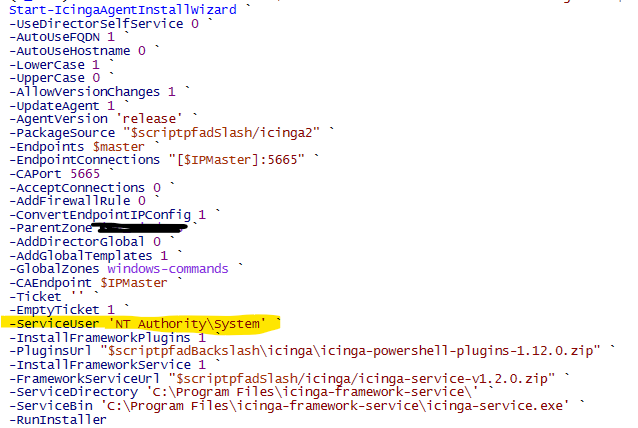

the method is also deprecated since 1.10:
We have decided to now officially deprecate the previous installation method
Start-IcingaAgentInstallWizard. It hasn’t been updated or promoted in a long time and all new features have been moved to the Icinga Management Console. Please update your installation method to the new solution. The old method will be removed in a future release.
ok … thanks for your help