icinga2 - The Icinga 2 network monitoring daemon (version: r2.15.0-1)
Description: Ubuntu 24.04.3 LTS
Release: 24.04
psql (PostgreSQL) 16.10 (Ubuntu 16.10-0ubuntu0.24.04.1)
icinga2
icingacli
icingadb
icingadb-redis
icingadb-web
icingaweb2
icinga-director
monitoring-plugins
Icinga application loader (version: r2.15.0-1)
single server single instance
when I try to validate it says it can connect to the database but cannot find the IDO schema
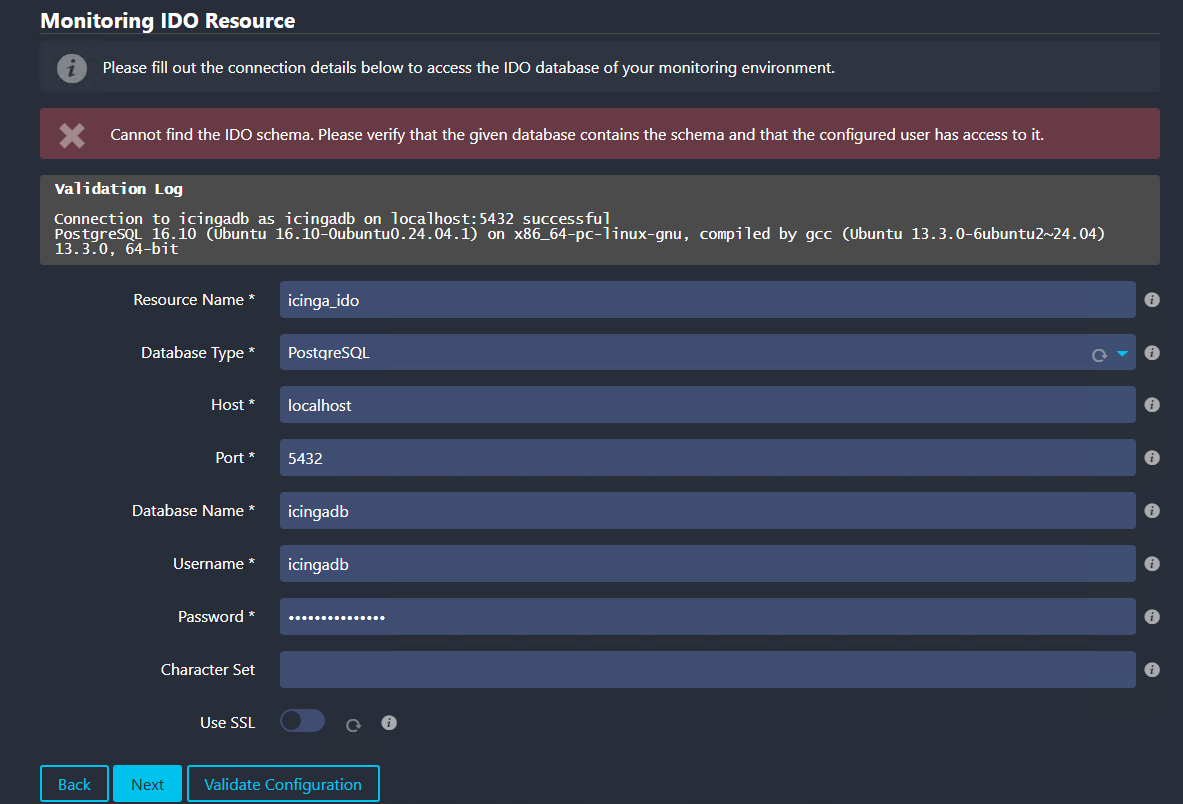
I have ran the schema for postgresql. in fact I tried running again. below is a snippet of the output saying stuff already exists
please help me understand what it is looking for. not much on google for
“Cannot find the IDO schema” “Monitoring IDO Resource”
COMMENT
COMMENT
ERROR: relation “notification_usergroup” already exists
ALTER TABLE
ALTER TABLE
ALTER TABLE
ALTER TABLE
ERROR: relation “idx_notification_usergroup_usergroup_id” already exists
ERROR: relation “idx_notification_usergroup_notification_id” already exists
COMMENT
COMMENT
COMMENT
COMMENT
ERROR: relation “notification_recipient” already exists
ALTER TABLE
ALTER TABLE
ALTER TABLE
ALTER TABLE
ALTER TABLE
ERROR: relation “idx_notification_recipient_user_id” already exists
ERROR: relation “idx_notification_recipient_notification_id_user” already exists
ERROR: relation “idx_notification_recipient_usergroup_id” already exists
ERROR: relation “idx_notification_recipient_notification_id_usergroup” already exists
COMMENT
COMMENT
COMMENT
COMMENT
COMMENT
ERROR: relation “notification_customvar” already exists
ALTER TABLE
ALTER TABLE
ALTER TABLE
ALTER TABLE
ERROR: relation “idx_notification_customvar_notification_id” already exists
ERROR: relation “idx_notification_customvar_customvar_id” already exists
COMMENT
COMMENT
COMMENT
COMMENT
ERROR: relation “icon_image” already exists
ALTER TABLE
ALTER TABLE
ERROR: relation “idx_icon_image” already exists