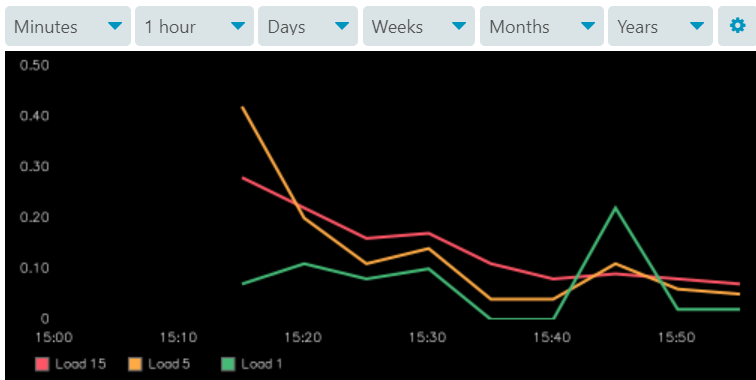
Hi,
please always include more details about your setup, e.g. which module and integration are you using, which versions are involved and more. You can find hints for this in the FAQ. This helps everyone to understand your question.
Please continue to do so in your other topics and replies.
Cheers,
Michael
Hi,
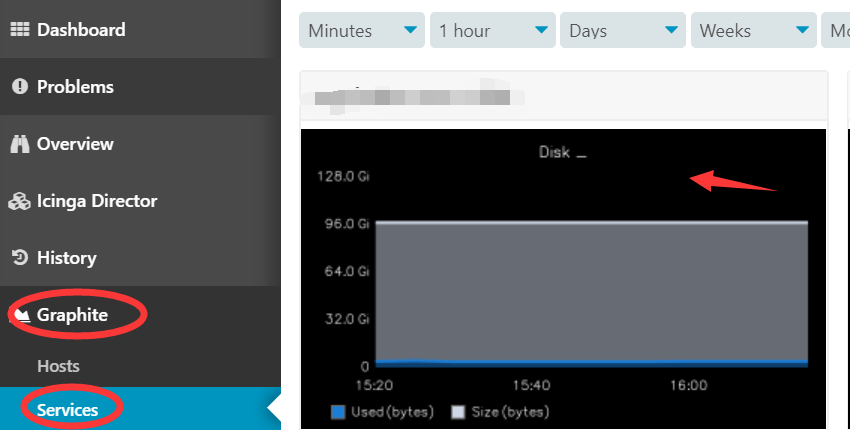
ah, so the Docker container changes that to black as background color by default, interesting.
There’s two ways of influencing this.
Change Graphite default background color
Depending on your Graphite installation, the paths may differ.
vim /opt/graphite/conf/graphTemplates.conf

[default]
background = white
foreground = black
Modify Icinga module templates to change the background color
Add the following bgcolor and fgcolor lines into the mentioned sections.
vim /etc/icingaweb2/modules/graphite/templates/default.ini

[default-host.urlparams]

bgcolor = "white"
fgcolor = "black"

[default-service.urlparams]

bgcolor = "white"
fgcolor = "black"
References
- https://graphite.readthedocs.io/en/latest/render_api.html#bgcolor
- https://graphite.readthedocs.io/en/latest/render_api.html#fgcolor
- https://icinga.com/docs/graphite/latest/doc/04-Templates/
- https://github.com/Icinga/icingaweb2-module-graphite/blob/master/templates/default.ini
- https://github.com/Icinga/icingaweb2-module-graphite/issues/204#issuecomment-471988836
Cheers,
Michael
thank you
you are great
I solved
I had explained that too often in the past years, I have moved this into a PR for the official documentation now.
Cheers,
Michael