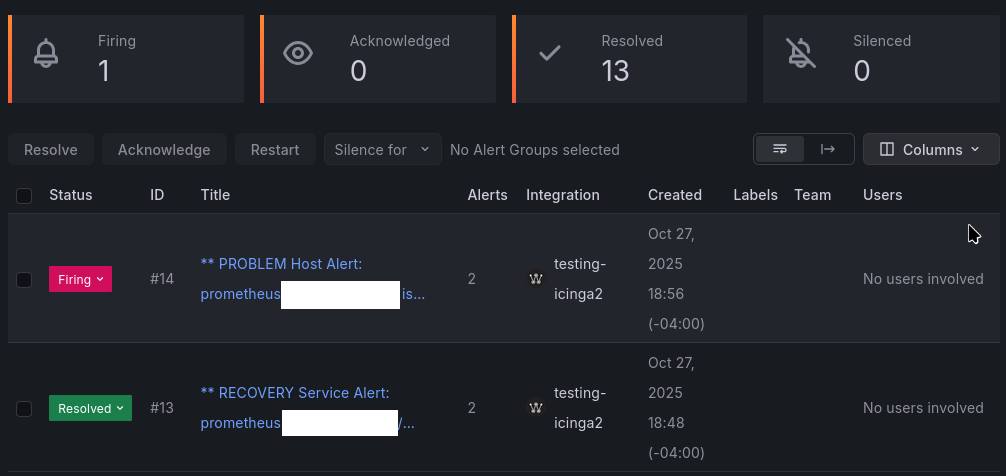
Grafana has their own pager service called Grafana IRM now, and I can’t find any docs or tools regarding using it with Icinga2. Anyone already worked something out? I’m going to get it working and documented otherwise; trying not to duplicate efforts. Grafana webhook docs seem straightforward.
Got a working script, but wondering if I should write an agent like PagerDuty and OpsGenie have instead. Will publish the code in the next couple days after some cleanup and then mark this resolved.
1 Like
Would love to look into this at some point 
Have you looked into Icinga Notifications yet?
Honestly, new features fly over my head because I moved to a company that doesn’t use it. I’ve got personal Icinga and Prometheus servers that monitor each other and I’m coping with OpsGenie EOL.
Looking at it now, I see it’s written in Go, which I’m pretty handy with. I’m still going to roll this easy way out first because I need it, but I could probably PR some channels if I get bored over the holidays. edit: I see the “don’t replace webhooks” advisory, but I know of others.
1 Like
Quick and easy. I’ll try out Icinga Notifications later. Grafana IRM Notification Command for Icinga2 (and maybe Nagios) · GitHub
great to here and thanks for sharing.
I had a quick look and found some inconsistencies:
upstream_link = f"{icinga_url}dashboard#!/icinga2/icingadb/service?name={service_parsed}?host.name={host_parsed}"
this would render the icingaweb2 dashboard on the left and the service on the right.
but assuming this `{icinga_url}` is https://icinga.local/icingaweb2/ the second part of the url only works if your instance is https://icinga.local/icinga2/
Oh it reuses that? Okay. Know off hand the generic URL? I just copied/pasted from my browser url an alert I was testing with to be honest. Have no problem adjusting that in the gist after work.
Per default Icinga Web uses /icingaweb2/ as its root. IcingaDB Web uses /icingaweb2/icingadb/
Took out the #dashboard/icingapath/ part of the URL in the gist, should be cleaner now. Example already has using /icingapath/ as part of your provided url.