Changing the CSV/JSON exported varibales

Is it possible to manipulate what variables are exported with CSV/JSON. I have looked around I could not find an easy way.
Could I modify this somewhere in my Icinga Web installation?

Give as much information as you can, e.g.

  • Icinga Web 2.12.6
  • Used modules and their versions
    doc 2.12.6
    icingadb 1.1.4
    incubator 0.23.0
    ipl v0.5.0
    pdfexport 0.11.0
    perfdatagraphs 1.1.0
    perfdatagraphsinfluxdbv2 1.1.0
    reporting 1.0.5
  • Firefox, Chrome
  • Icinga 2 v2.16.5
  • PHP v8.1.34
  • OS Ubuntu 22.04 LTS

You can use the “columns” URL parameter to add more parameters to the list views of hosts and services, see this blog post for further information: List View in Icinga DB Web

If you add the parameter and then export csv or json, those extra columns are also included in the export.

Small clarification (that is also mentioned in the linked blog post): this was the case with the old monitoring module.

For the IcingaDB Web module you need to list all columns you want to display. If you only add column=host.name, you only get the hostname.

In the docs this is “hidden” in the Migration chapter

I tested this and it still exporting the default variables. Not even adding any of the extra columns.
Could this only work for the monitoring module and not icingadb?
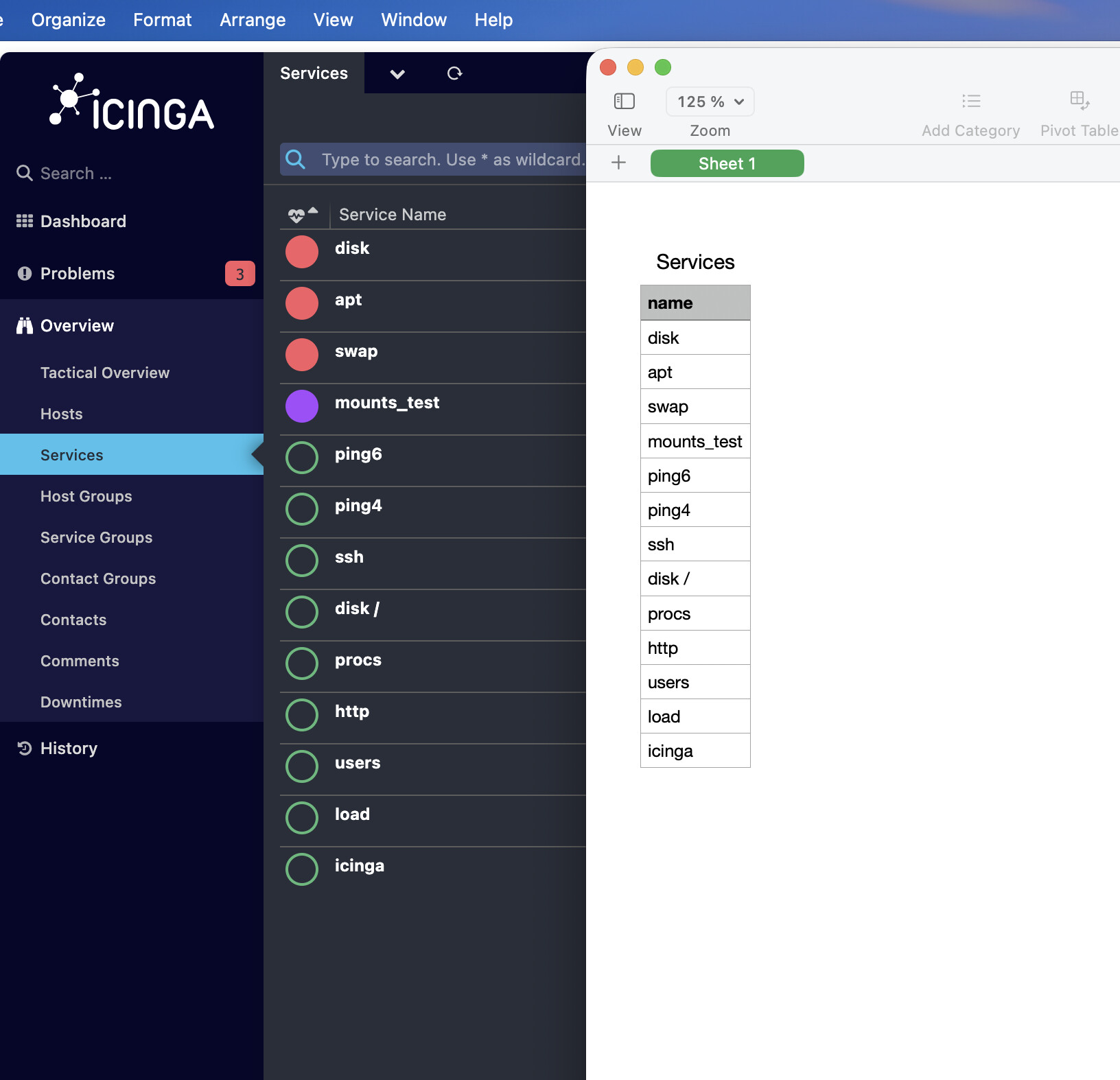
According to the changelog using columns for export only exports the listed columns. With Icinga DB Web v1.3 or higher.

On my testsetup it works as expected:

My filter looks like this: http://192.168.64.2/icingaweb2/icingadb/services?columns=service.name

I’m still on IcingaDB 1.1.4. That is probably the reason.
I was already looking to update, but that will be after I sort out the OS version upgrade.